Simple and fast steps to install the best IPTV player on your Samsung Smart TV directly from the official Samsung Apps Store.
Turn on your Samsung Smart TV. Press the Home button on your remote to open the bottom menu bar (Smart Hub). Scroll left and select the Apps icon to open the app store.
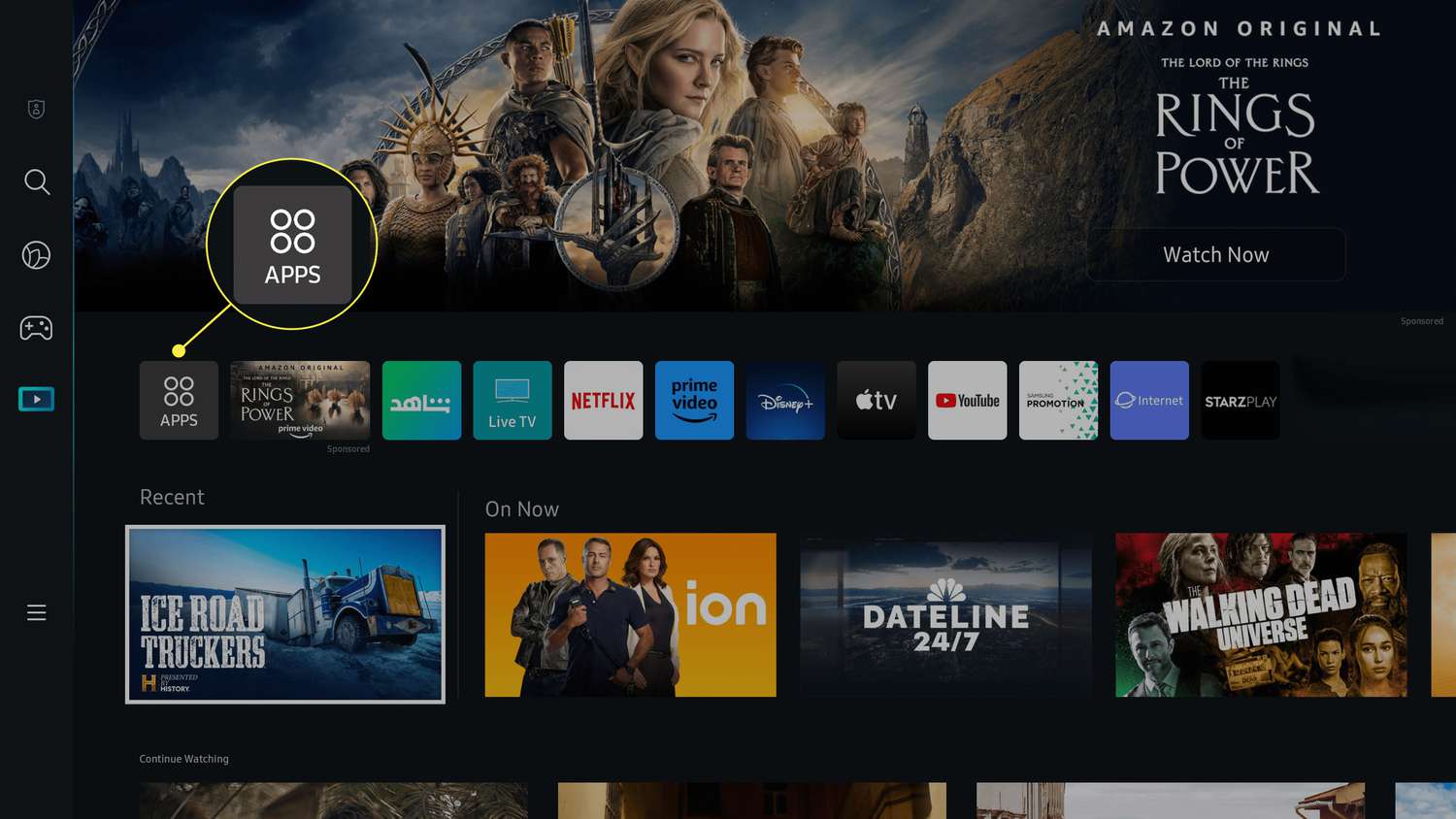
In the App Store, navigate to the top of the screen and select the Search (Magnifying Glass) icon. Using the on-screen keyboard, type IPTV Smarters to search for the app.
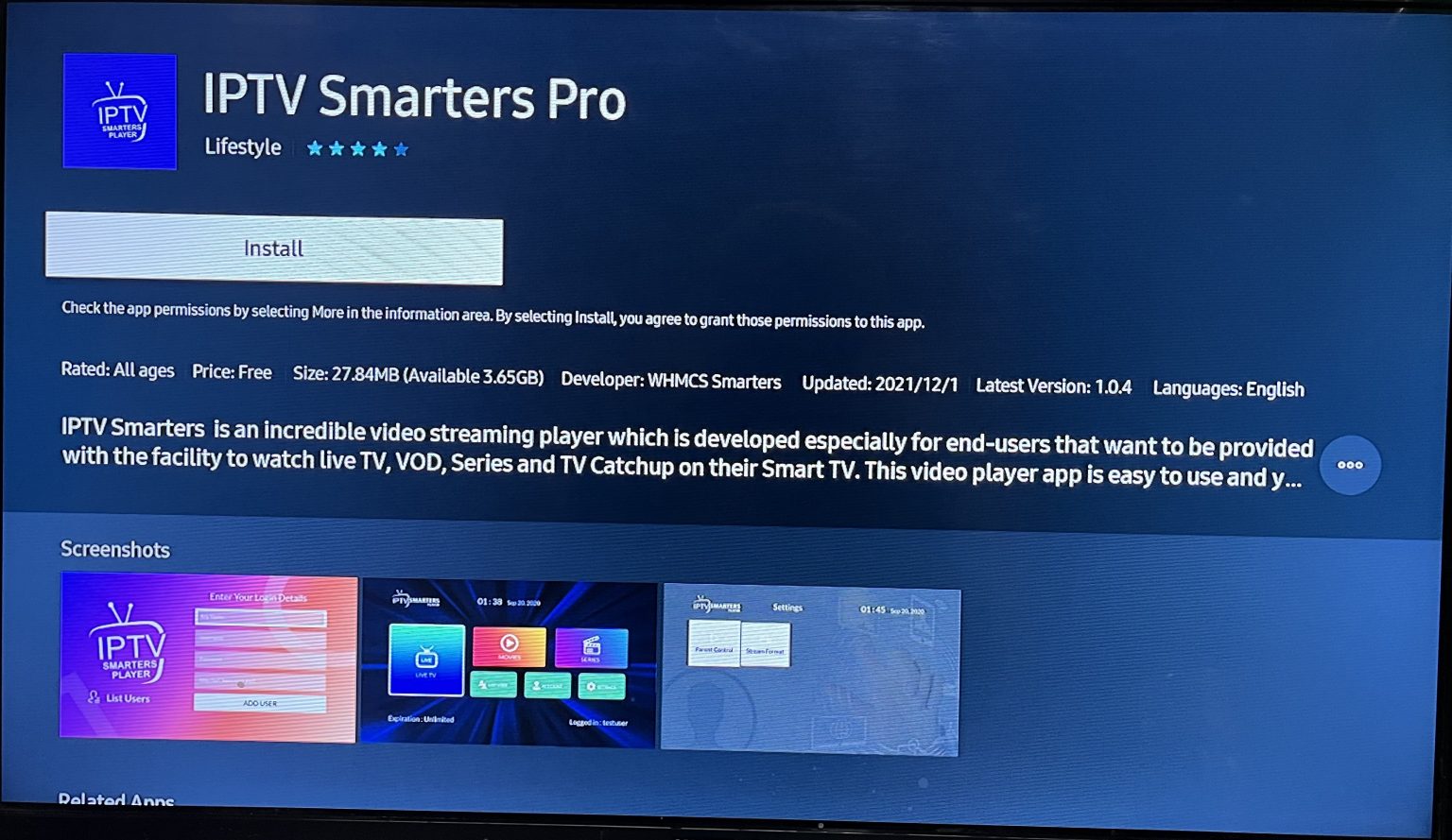
Search results will appear. Select the IPTV Smarters Pro app icon to enter the app's detail page. Then, click on the Install button. The app will be downloaded and installed on your TV.
After the installation is complete, click Open. Choose Add New User and then select Login with Xtream Codes API or via an M3U link, and enter the subscription details provided by your IPTV service provider.
